Material Tutorial
This tutorial enhances the Joints tutorial with materials for realistic rendering.
Step 1: Prerequisites
Assume we have the 5 variables from the joints tutorial:
boxlidhinge_innerhinge_outerm6_screw
with their labels
box.label = "box"
lid.label = "lid"
hinge_outer.label = "outer hinge"
hinge_inner.label = "inner hinge"
m6_screw.label = "M6 screw"
Step 2: Apply materials
The box and lid should be made of walnut wood, the hinges and the screw from brass. Build123d uses bd_materials as its source for material definitions. It provides materials from different categories, e.g.
metals: Stainless steel, Aluminum, Copper, …
plastics: Nylon, PLA, ABS, PETG, …
…
Brass is available in bd_materials, so let’s import it and assign it to the hinge_inner, hinge_outer, and m6_screw:
from bd_materials import metals, wood, finishes

box.material = wood.walnut()
lid.material = wood.walnut()

hinge_inner.material = metals.brass()
hinge_outer.material = metals.brass()
m6_screw.material = metals.brass()
In a normal manufacturing process the creation of an object is followed by applying a finish to it. So in order to have brushed or matte brass, use
hinge_inner.material = metals.brass(finish=finishes.brushed())
hinge_outer.material = metals.brass(finish=finishes.fine_sanding())
Step 3: Material properties
Three properties can be access from <shape>.material:
The physical material
hinge_inner.material.material

# MetalMaterial(
#     name='Brass_C360_HALF_HARD',
#     density=8500,
#     family='brass',
#     transparent=False,
#     tensile_strength=Range(min=380, max=450),
#     modulus_of_elasticity=Range(min=100, max=110),
#     shear_modulus=Range(min=37, max=40),
#     poisson_ratio=Range(min=0.32, max=0.35),
#     specific_heat_capacity=Range(min=380, max=390),
#     max_service_temp=Range(min=150, max=250),
#     thermal_expansion=Range(min=1.9e-05, max=2.1e-05),
#     thermal_conductivity=Range(min=110, max=130),
#     yield_strength=Range(min=200, max=250),
#     shear_strength=Range(min=210, max=270),
#     hardness=Range(min=90, max=120),
#     hardness_scale='HB',
#     melting_temperature=Range(min=880, max=950)
# )
Note that density is a typical value for the material (to allow mass calculation in build123d), but all other properties are ranges for the typical values
These units are used for the properties:
from pprint import pprint
from bd_materials.core import PROPERTY_UNITS as pu

pprint(pu)

# {
#    'areal_density': 'g/m²',
#    'compressive_strength_parallel': 'MPa',
#    'density': 'kg/m³',
#    'elongation_at_break': '%',
#    'glass_transition_temperature': '°C',
#    'hardness': 'per hardness_scale',
#    'heat_deflection_temperature': '°C',
#    'janka_hardness': 'N',
#    'max_service_temp': '°C',
#    'melting_temperature': '°C',
#    'modulus_of_elasticity': 'GPa',
#    'modulus_of_rupture': 'MPa',
#    'poisson_ratio': '',
#    'shear_modulus': 'GPa',
#    'shear_strength': 'MPa',
#    'specific_heat_capacity': 'J/(kg·K)',
#    'tensile_strength': 'MPa',
#    'thermal_conductivity': 'W/(m·K)',
#    'thermal_expansion': '1/K',
#    'thickness': 'mm',
#    'yield_strength': 'MPa'
# }
The finish
hinge_inner.material.finish

# AppliedFinish(
#     finish=Finish(name='Brushed', notes=None),
#     color=None,
#     sheen=None,
#     scale=(1.0, 1.0),
#     rotation=0.0
# )
The physical based rendering properties
hinge_inner.material.pbr

# PbrProperties(name='brass_brushed', source='physicallybased', license='CC0 1.0')
#   values: PbrValues(
#               color=[0.9593465889662697, 0.8952268365504931, 0.6821586160863968],
#               metalness=1.0,
#               roughness=1.0,
#               specular_intensity=1.0,
#               specular_color=[0.952, 0.979, 1.021]
#           )
#   maps:    PbrMaps(roughness='roughness.png', normal='normal.png')
#   maps_dir: .venv/lib/python3.13/site-packages/threejs_materials/pbr_properties/_assets/_brush
This can be use as:
print(hinge_inner.material.material.density, pu["density"])
# 8500 kg/m³

print(hinge_inner.material.material.tensile_strength, pu["tensile_strength"])
# Range(min=380, max=450) MPa
Range.value_at(r)samples the range at the fractional positionr:value_at(0)returnsmin,value_at(1)returnsmax, and values in between interpolate linearly.ris not clamped — outside[0, 1]the value extrapolates.print(hinge_inner.material.material.tensile_strength.value_at(0.2), pu["tensile_strength"]) 394.0 MPa
Volume and mass calculation
volumeis a property and returns a bare number — it carries no unit. The number is the volume in whatever length unit the model was drawn in, cubed.print(f"{hinge_outer.volume=:9.3f}") # hinge_outer.volume=16116.838
mass()multiplies the volume by<shape>.material.material.density, which is always measured in kg/m³. Becausevolumeis unitless,mass(mass_unit, length_unit)takes the output mass unit and the length unit used to interpret the volume. Both are optional and default to gram and millimeter, respectively. A shape without a material raises aValueError.Volume read as mm³, mass reported in g (the defaults):
print(f"{hinge_outer.mass()=:9.3f} g") # hinge_outer.mass()= 136.993 g
The same model read as in³, mass reported in lb:
print(f"{hinge_outer.mass(Unit.LB, Unit.IN)=:9.3f} lb") # hinge_outer.mass(Unit.LB, Unit.IN)= 4949.191 lb
The volume number is identical in both cases — only its interpretation changes. One inch is 25.4 mm, so reading the model in inches makes it 25.4³ ≈ 16000 times more massive.
The same for box:
print(f"{box.volume=:9.3f}")
# box.volume=1940751.770
print(f"{box.mass()=:9.3f} g") # volume read as mm³
# box.mass()= 1242.081 g
print(f"{box.mass(Unit.LB, Unit.IN)=:9.3f} lb") # volume read as in³
# box.mass(Unit.LB, Unit.IN)=44873.028 lb
Step 4: Visualization in OCP CAD Viewer’s Studio mode
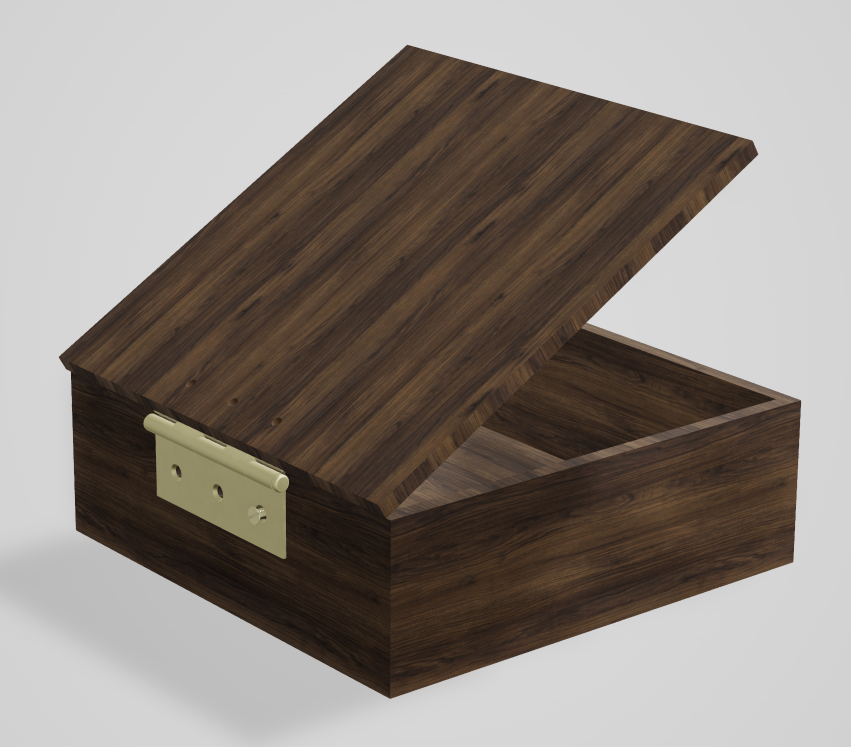
bd_materials uses the material and the finish to determine the appropriate physical based rendering properties that work in OCP CAD Viewer’s Studio (and can be exported to glTF files):
show(box, lid, hinge_outer, hinge_inner, m6_screw)
Step 5: External viewers (optional)
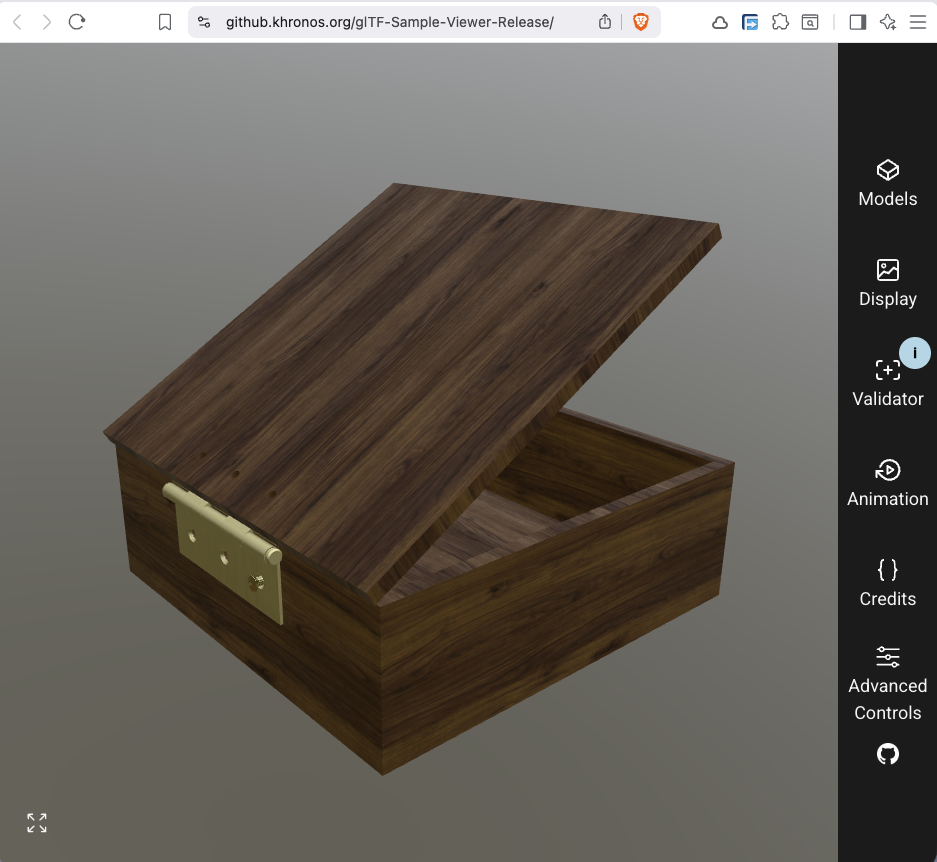
export_gltf automatically integrates the PBR properties into the gltf/glb file on export:
b = Compound(label="Box", children=[box, lid, hinge_outer, hinge_inner, m6_screw])
export_gltf(b, "box.glb")
The file "box.glb" can then be visualized in any glTF viewer, e.g. here the Khronos glTF viewer:
Appendix 1: Custom materials
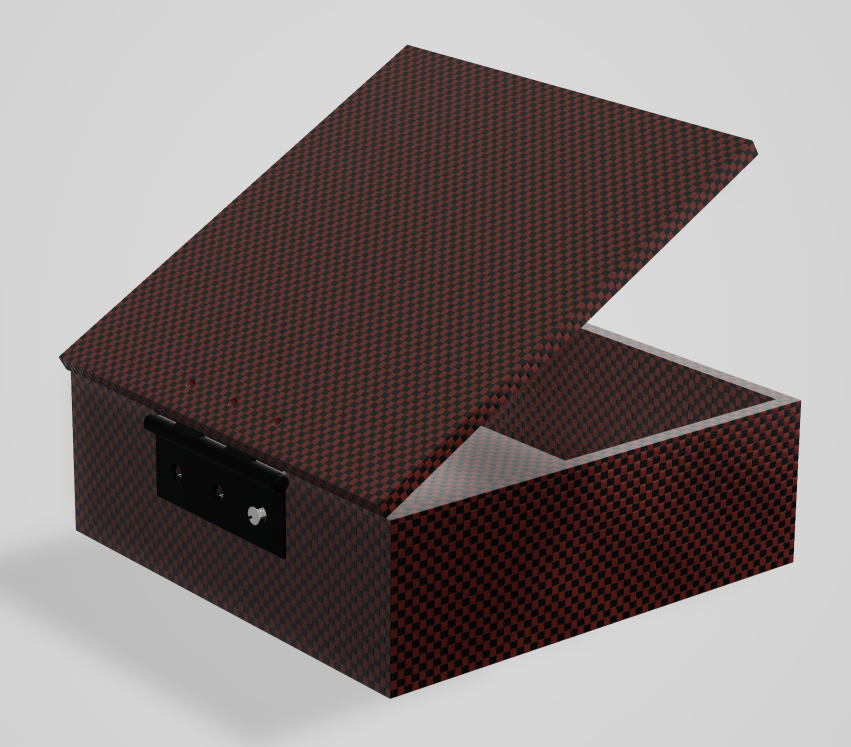
from threejs_materials import PbrProperties
from bd_materials import plastics
mat = plastics.custom_plastic(
"carbon fiber",
density=1500, # kg/m^3
pbr=PbrProperties.from_gpuopen("Carbon biColor Coat")
)
box.material = mat
lid.material = mat
hinge_inner.material = metals.mild_steel(finish=finishes.black_oxide())
hinge_outer.material = metals.mild_steel(finish=finishes.black_oxide())
m6_screw.material = metals.stainless()
Note
For pbr=PbrProperties.from_gpuopen to work, ensure that materialx is installed. It is a binary package that might not be on pypi for a given OS or Python version, and needs to be compiled then (done automatically at install time). To avoid this as a hard dependency, materialx is optional. You can always test with import MaterialX.
show(box, lid, hinge_outer, hinge_inner, m6_screw)
print(f"{hinge_outer.material.material.density=} {pu['density']}")
# hinge_outer.material.material.density=7800 kg/m³
print(f"{box.material.material.density=} {pu['density']}")
# box.material.material.density=1500 kg/m³
print(f"{hinge_outer.volume=:9.3f}")
# hinge_outer.volume=16116.838
print(f"{hinge_outer.mass()=:9.3f} g")
# hinge_outer.mass()= 125.711 g
print(f"{hinge_outer.mass(Unit.LB, Unit.IN)=:9.3f} lb")
# hinge_outer.mass(Unit.LB, Unit.IN)= 4541.610 lb
print(f"{box.volume=:9.3f}")
# box.volume=1940751.770
print(f"{box.mass()=:9.3f} g")
# box.mass()= 2911.128 g
print(f"{box.mass(Unit.LB, Unit.IN)=:9.3f} lb")
# box.mass(Unit.LB, Unit.IN)=105171.159 lb